
- All Products
- Apparel
- Auto, Home & Tools
- Awareness
- Bags
- Clearance
- Drinkware
- Event Decor
- Face On It
- Food & Candy
- Hats
- Holidays
- Keychains
- Lanyards & Badges
- Office & Awards
- Outdoor & Leisure
- Paper Printing
- Pins, Buttons & Patches
- Print Supplies
- Shipping Supplies
- Technology
- Toys & Novelty
- Trade Show & Signage
- Wellness & Safety
- Wristbands
- Writing
Custom Printed Bookmarks
Custom Printed Bookmarks
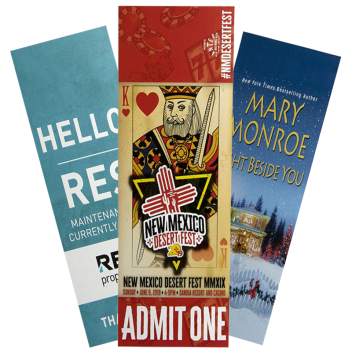
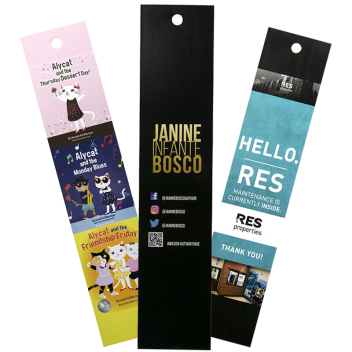
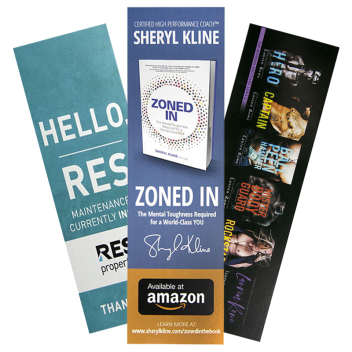
Create custom printed bookmarks personalized with your logo, artwork, text, or message. Ideal for schools, libraries, bookstores, businesses, nonprofits, reading programs, events, and giveaways, personalized bookmarks combine a practical reading accessory with space for your branding or design.
Choose from multiple bookmark sizes and customize your design to fit your audience, message, and intended use.
Shop Custom Bookmark Sizes
Choose a bookmark size based on your design, the amount of information you want to include, and how you plan to distribute your bookmarks.
|
Bookmark Size |
Best For |
|
2" × 3.5" |
Compact promotions, coupons, small giveaways, and short messages |
|
2" × 6" |
Traditional bookmarks, schools, libraries, bookstores, and general promotions |
|
2" × 9" |
Larger designs, schedules, detailed information, and promotional messaging |
|
2.5" × 8.5" |
Branded campaigns, events, and designs that need additional print space |
What Are Custom Bookmarks?
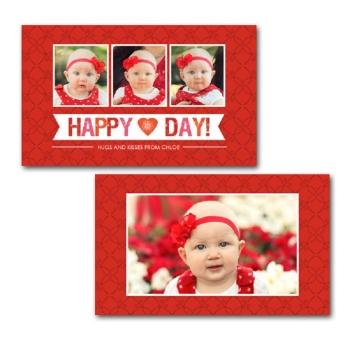
Custom bookmarks are printed paper or cardstock markers personalized with your own text, logo, artwork, photographs, contact information, or promotional message.
Beyond marking a reader's place in a book, personalized bookmarks can also serve as compact marketing and communication tools. Businesses can use them to promote their brand, schools can distribute them during reading programs, libraries can share useful information with patrons, and organizations can hand them out at events and campaigns.
Because bookmarks can remain inside books and notebooks for repeated use, they give your design, brand, or message an opportunity to stay visible over time.
Popular Uses for Custom Bookmarks
Custom bookmarks can be designed for a wide range of audiences and occasions.
Schools and Reading Programs
Create bookmarks featuring reading challenges, educational reminders, motivational messages, school branding, mascots, or information about upcoming programs and events.
Libraries and Bookstores
Use personalized bookmarks for reading recommendations, library programs, membership information, book launches, author events, book clubs, or as an addition to book purchases.
Businesses and Organizations
Turn bookmarks into compact promotional materials by adding your logo, website, contact information, QR code, special offer, or call to action.
Events and Giveaways
Distribute custom bookmarks at conferences, trade shows, fundraisers, book fairs, community events, open houses, and promotional campaigns.
Special Events and Keepsakes
Personalize bookmarks with names, dates, artwork, quotes, or messages to create favors, thank-you gifts, or keepsakes for weddings and other special occasions.
How to Choose the Right Bookmark Size
The best bookmark size depends on how the bookmark will be used and how much information your design needs to communicate.
Choose a smaller bookmark for simple artwork, logos, coupons, short messages, or compact giveaways.
Choose a standard-length bookmark for traditional reading applications, including schools, libraries, bookstores, book clubs, and reading programs.
Choose a longer or wider bookmark when you need additional space for artwork, schedules, instructions, QR codes, promotional information, or more detailed messaging.
Whatever size you choose, leave enough open space around your design to keep important information clear and easy to read.
What Can You Put on a Custom Bookmark?
Personalize your bookmark with elements such as:
- Company or organization logo
- Custom artwork or photographs
- Business or school name
- Website or contact information
- QR code
- Promotional offer
- Event information
- Reading challenge
- Inspirational quote
- Names and dates
For the clearest design, focus on one primary message and make the most important information easy to identify at a glance.
How to Design an Effective Custom Bookmark
Keep Your Message Focused
Start by deciding what you want someone to remember or do after receiving your bookmark. That could be remembering your brand, visiting your website, joining a reading program, attending an event, or scanning a QR code.
Make Important Information Easy to Read
Use clear typography and make sure essential information—such as your business name, message, URL, or call to action—is easy to understand.
Create a Clear Visual Hierarchy
Give your most important design element, such as a logo, headline, artwork, offer, or call to action, the greatest visual emphasis.
Keep Your Branding Consistent
Use colors, fonts, logos, and imagery that match your business, school, organization, event, or campaign.
Make Good Use of Available Print Space
When your selected printing configuration allows it, organize your information by purpose. For example, your main branding or artwork can take visual priority while supporting details such as a website, QR code, event information, or contact details remain easy to find.
How to Order Custom Bookmarks
Creating personalized bookmarks starts with choosing the bookmark size that best fits your project.
Select the available product options, then personalize your bookmark using your preferred design method. Depending on the available options, you can create a design with text or graphics, use online design tools, upload existing artwork, request design assistance, or submit your design after checkout.
Before completing your order, review important details such as names, dates, URLs, phone numbers, and QR codes for accuracy.
Frequently Asked Questions About Custom Bookmarks
What are custom bookmarks?
Custom bookmarks are printed bookmarks personalized with your logo, artwork, text, photographs, branding, or promotional message. They can be used as reading accessories, educational materials, promotional products, event giveaways, or keepsakes.
What sizes do custom bookmarks come in?
Imprint offers bookmark options in 2" × 3.5", 2" × 6", 2" × 9", and 2.5" × 8.5" sizes. The right size depends on your design, intended use, and the amount of information you want to include.
What is the best size for a custom bookmark?
A 2" × 6" bookmark offers a traditional bookmark shape with room for branding and messaging. Smaller options work well for compact designs and promotions, while longer or wider bookmarks provide additional space for detailed artwork and information.
Can I put my logo on a bookmark?
Yes. Custom bookmarks can be personalized with your business, school, or organization's logo along with text, artwork, contact information, a website, or other design elements.
Can I upload my own bookmark design?
Yes. Available customization options include uploading your own design. You can also use Imprint's available design tools or design-assistance options when creating your bookmarks.
Can I add a QR code to a custom bookmark?
A QR code can be incorporated into your uploaded artwork or custom design. Make sure the code is large and clear enough to scan reliably, and test it before approving your artwork.
What should I put on a promotional bookmark?
Consider including your logo, company or organization name, website, contact information, QR code, promotional offer, or call to action. Keep the design focused so the most important message is easy to understand.
Are custom bookmarks suitable for schools and libraries?
Yes. Schools and libraries can personalize bookmarks for reading challenges, literacy programs, book fairs, student rewards, educational reminders, library programs, reading recommendations, and other activities.
Can I order custom bookmarks in bulk?
Custom bookmarks are suitable for quantity orders for schools, libraries, businesses, nonprofits, events, organizations, and promotional campaigns. Available quantities and pricing vary by bookmark style and selected options.
Create Your Custom Bookmarks
Create personalized bookmarks for your business, school, library, organization, event, or reading program. Choose your preferred bookmark size, customize your design with your logo, artwork, text, or message, and create bookmarks made for your audience.